
A homeowner can understand why a new HVAC system matters and still need another way to pay for it. SetSale's Palmetto integration brings that conversation into the proposal you're already building.
As announced in our May product newsletter, Palmetto is integrated into SetSale. Connected contractors can present Palmetto Comfort Plans alongside their system options, helping homeowners consider a monthly payment when they evaluate the work.
A lease option alongside the system
Palmetto Comfort Plans are leases. Palmetto owns the equipment during the lease period, and the homeowner makes monthly payments under the selected plan.
Learn how Palmetto Comfort Plans work in SetSale.
Build the quote the way you already do
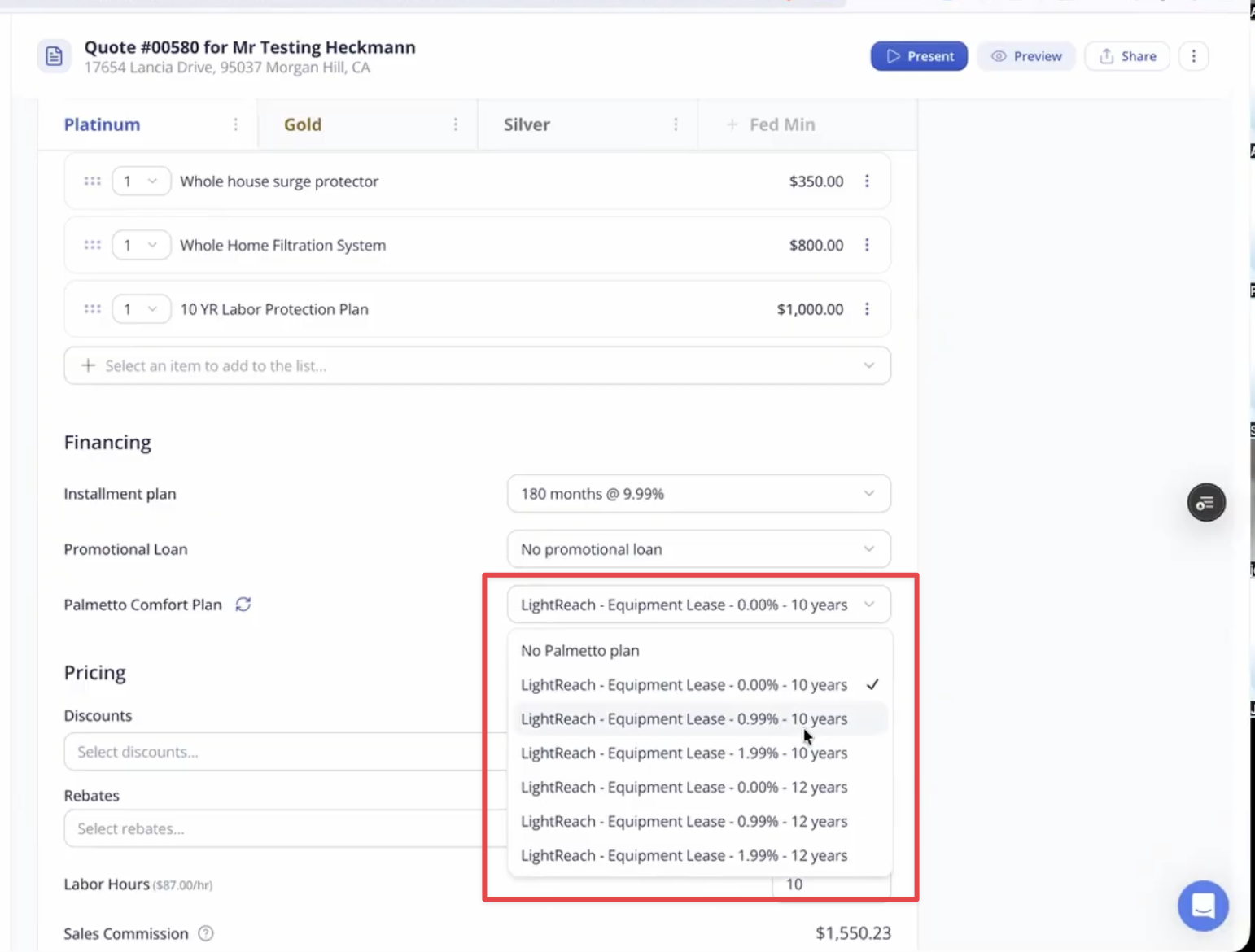
Once your Palmetto account is connected, start with your customer, equipment, and pricing as usual. The quote's financing section displays available Palmetto lease options.
Choose a plan for the tier you're presenting, then review the customer-facing proposal. The homeowner can see the first-year monthly payment and information about the selected lease's escalation rate. An escalation rate describes how the payment changes each year; it is different from a loan's interest rate.
The screenshot above illustrates the quoting workflow; available plans and rates vary.
The quoting guide walks through selecting a plan, refreshing estimates, and checking the presentation before you share it.
Connect your account and review a sample quote
Already working with Palmetto? Follow the account connection guide to bring those options into SetSale.
If you're new to the program, start with Palmetto's partner information. Palmetto handles the lease application, underwriting, contract signing, and approval process.
Before sending your first proposal, review a sample from the homeowner's side. Make sure the selected plan and estimated payment are clear, and use the plan documents to explain the terms. That gives your team a practical starting point for offering another payment option during the sale.