
Choosing a new HVAC system means weighing more than a price. Homeowners need to understand the equipment, decide which upgrades matter, and work out how to pay. The quote should help them make those decisions together.
Checkout Studio now brings that experience to every SetSale quote. After the September 15 launch, the September 29 rollout makes Studio the standard homeowner checkout across all accounts.
We previewed the new experience in our September product newsletter. The rollout brings that update to every homeowner checkout.
Explore upgrades before choosing a system
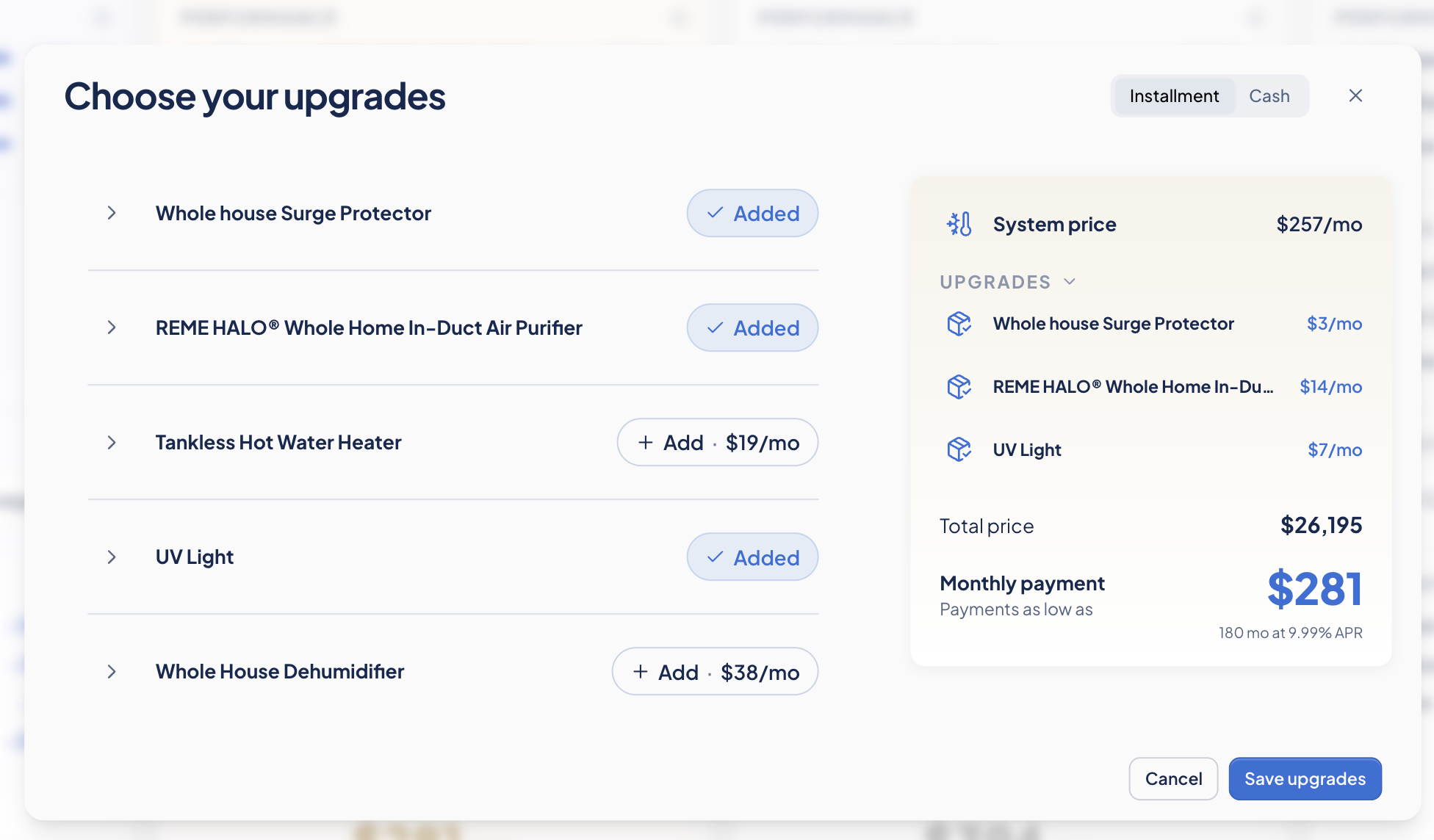
Homeowners can open View Upgrades from any system option, see what's available, and build the combination that fits their home. Updated prices appear before they choose a system, so an upgrade's cost is part of the comparison.
They can also explore different upgrades on different tiers. Those selections stay with each tier as they compare, making it easier to weigh a basic system with an added upgrade against a higher tier with a different set of features.
Keep the decision connected through checkout
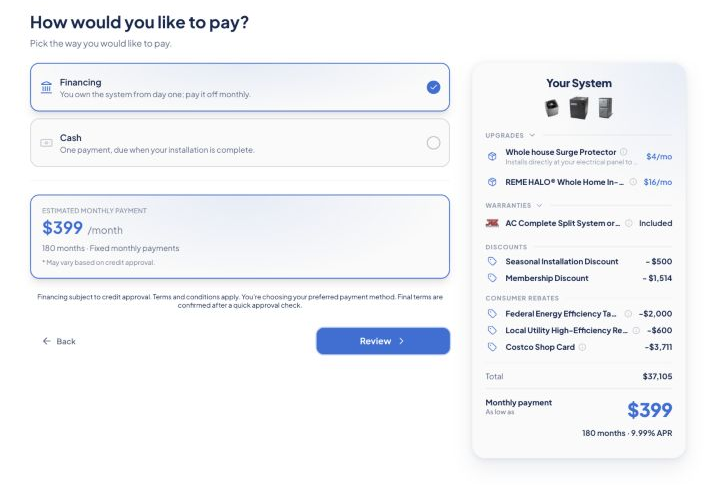
Once a homeowner has built the option they want, they can move into checkout from the pricing page. Payment choices sit beside an order summary, keeping the purchase in view as they decide how to pay.
From the old checkout to Checkout Studio
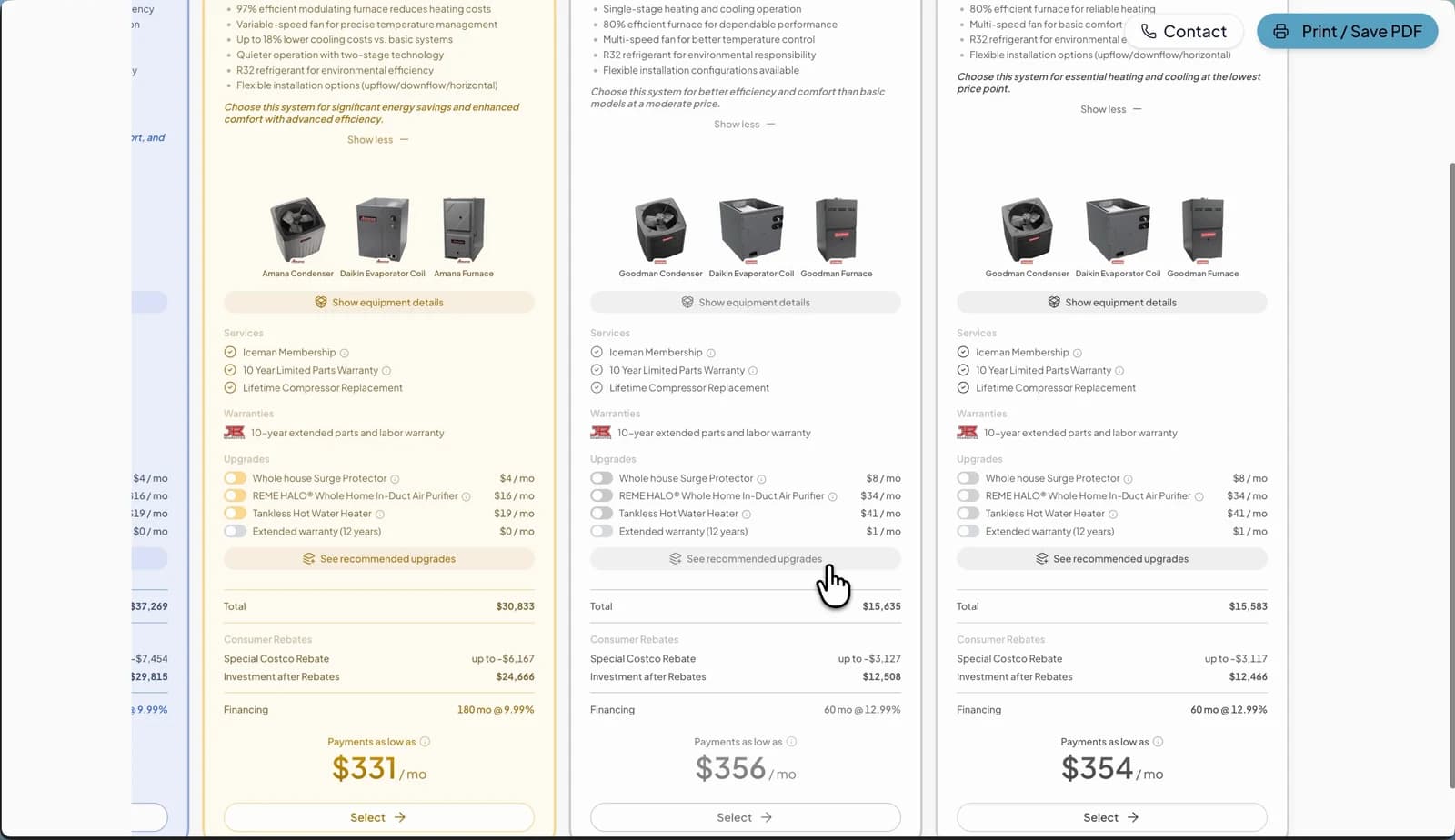
The old checkout put equipment, services, upgrades, and payment details into long tier cards. Checkout Studio reorganizes that information so homeowners can compare the options first, then open View upgrades to customize the system they’re considering.
Before: the old checkout
After: Checkout Studio
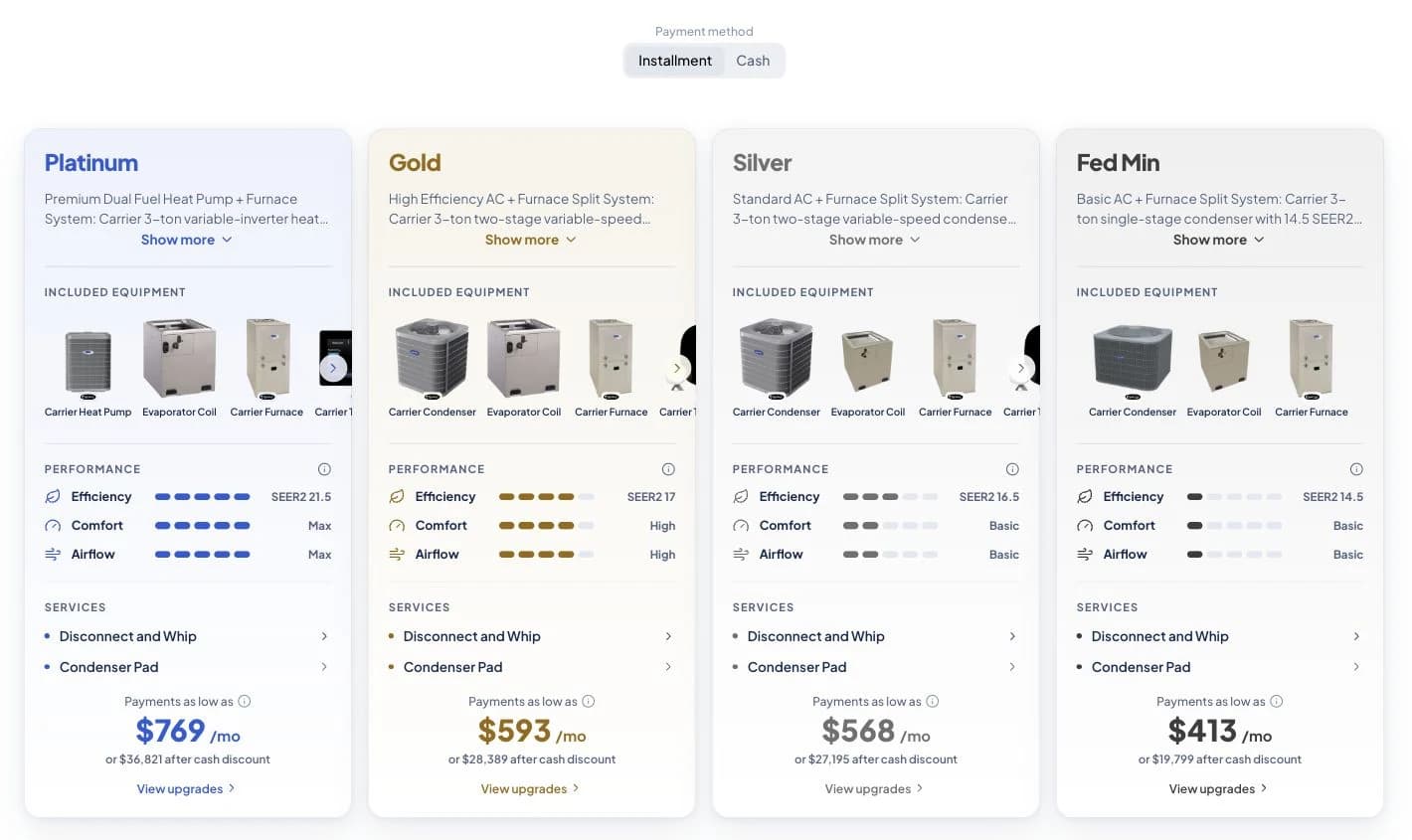
The examples show different quotes; the change to notice is how the information is organized. Equipment, performance, included work, and estimated payments each have a clear place in the new comparison. Upgrade selection moves into a dedicated view, with updated totals available before the homeowner continues.
The same quote setup, a clearer homeowner experience
The work grew out of contractor feedback and homeowner testing. In our study of 40 U.S. homeowners, eight in ten preferred Checkout Studio over the legacy experience. That finding measures preference in the study; it isn't a promise of a particular close rate.
Explore the research behind Checkout Studio, including the full report and summaries you can share with your team.
Try the homeowner's side of your next quote
Create a test quote, compare the system tiers, and try adding different upgrades to each one. Then move through payment selection and review the order. It's a useful way to see how your sales conversation carries into the customer's decision.