
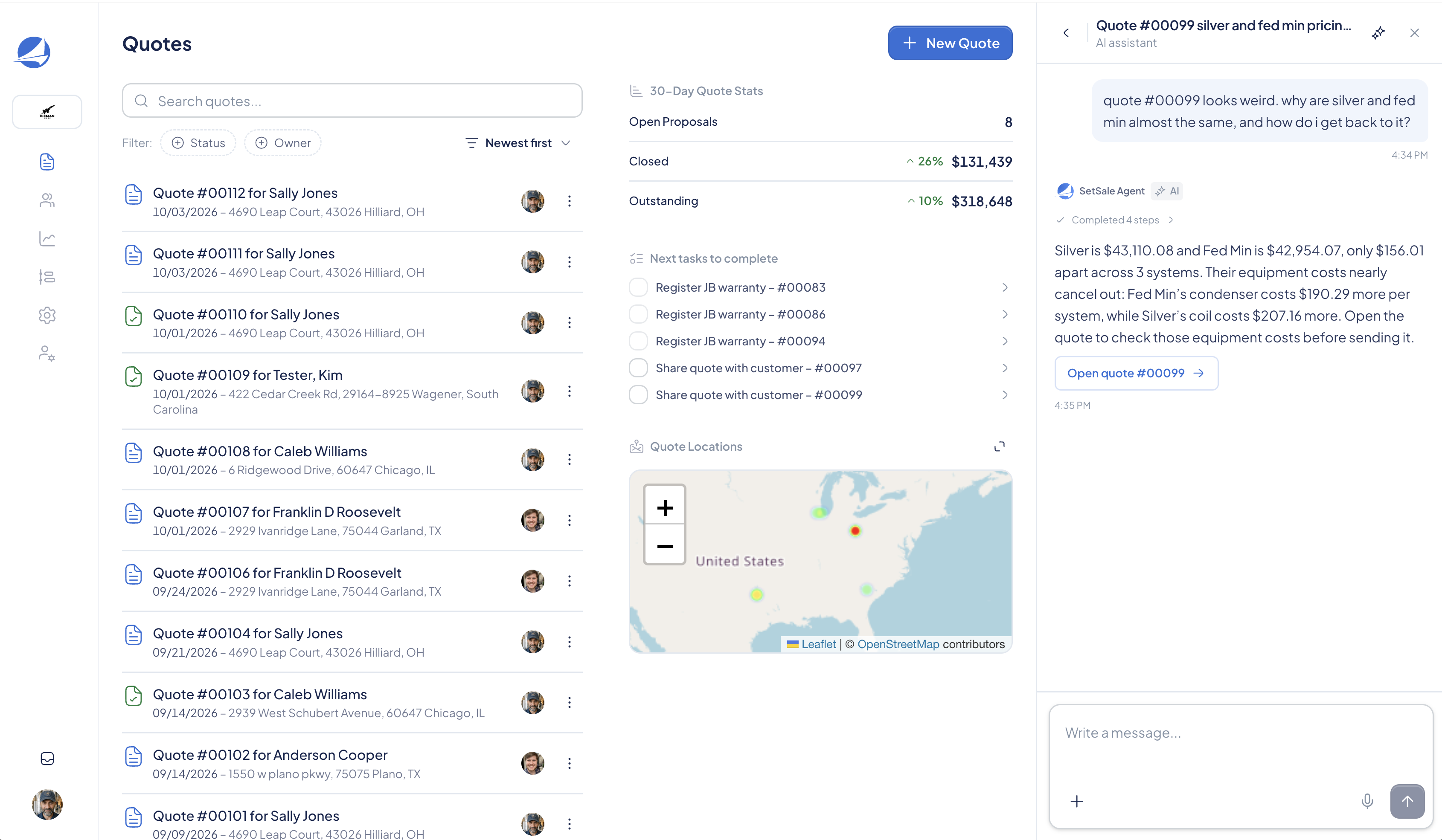
A strong sales process takes work before the first quote goes out. Equipment templates need attention. Margins need to make sense. Proposals need to explain the value of the options you sell. Finding time for all of that can be the hard part.
The SetSale Agent brings an HVAC sales expert into the place you already do that work. It can help you understand your account, investigate a quote, and get to the next step while the details are still in front of you.
“Our mission has always been to help you run the most professional, profitable sales process in your market.”
Help that understands what you’re looking at
Open the Agent from the lower-right corner of SetSale and ask a question in plain language. It can use your current page as context. If you’re asking about a particular job, give it the quote number and the tier or price you want to review.
The October launch introduces the Agent as a partner for setup, pricing analysis, and equipment templates. The help guide shows how that starts in practice: explain a field, compare options, flag something unusual, and point to the relevant control.
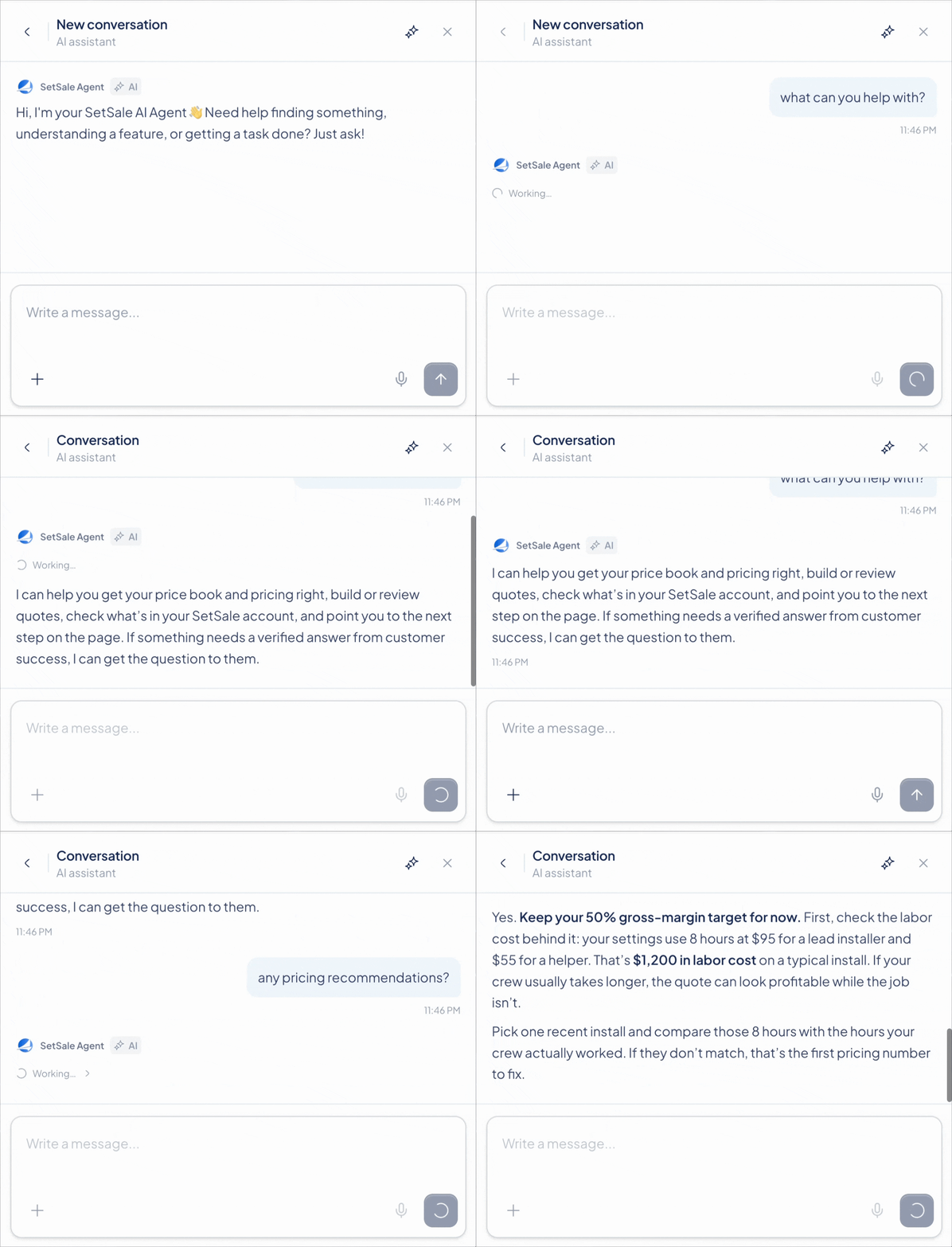
From a broad question to a useful next step
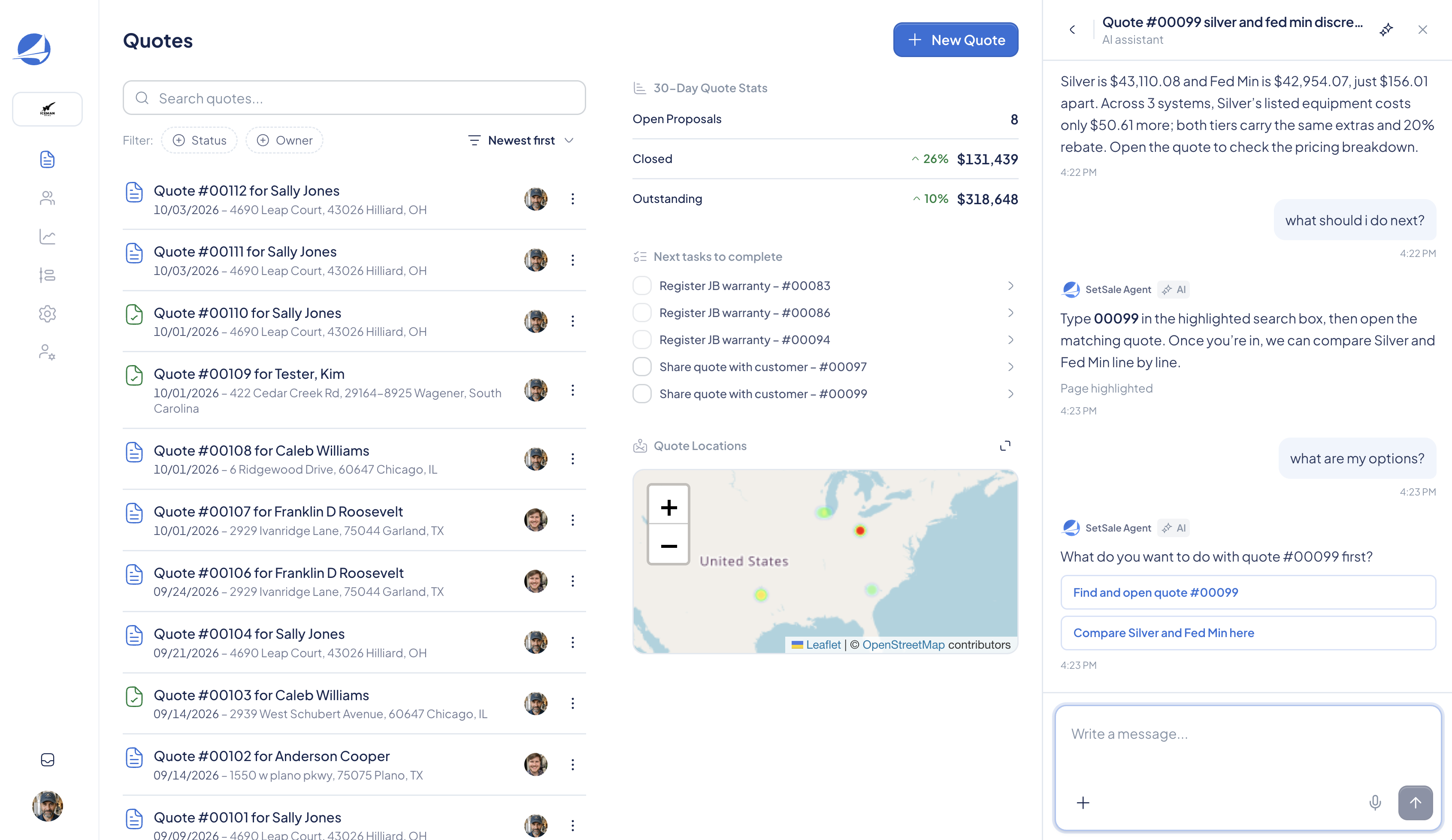
A price difference is often a good starting point. Ask the Agent to compare the tiers, then follow up on the equipment, margins, discounts, or rebates that explain the result. Its answer can help you narrow down what to inspect before the customer sees the quote.
Some replies include an action button; others highlight a control on the page. The response can vary with the question. Tell the Agent whether you want an explanation, a comparison, or help finding something.
Built to work with you
When a question needs a person, the Agent can help connect you with support and carry the relevant context into the conversation. You can spend less time reconstructing the problem and more time resolving it.
The Agent currently serves contractors. A distributor version and broader sales management capabilities are on the roadmap. For now, start with one concrete question about the work in front of you.