
The best time for an HVAC distributor to tell a dealer about a rebate, price increase, or stock update is while they’re pricing the job. With SetSale, your message shows up right on the contractor’s quote, not buried in their inbox. Here are 10 messages worth sending, with an example and setup for each.
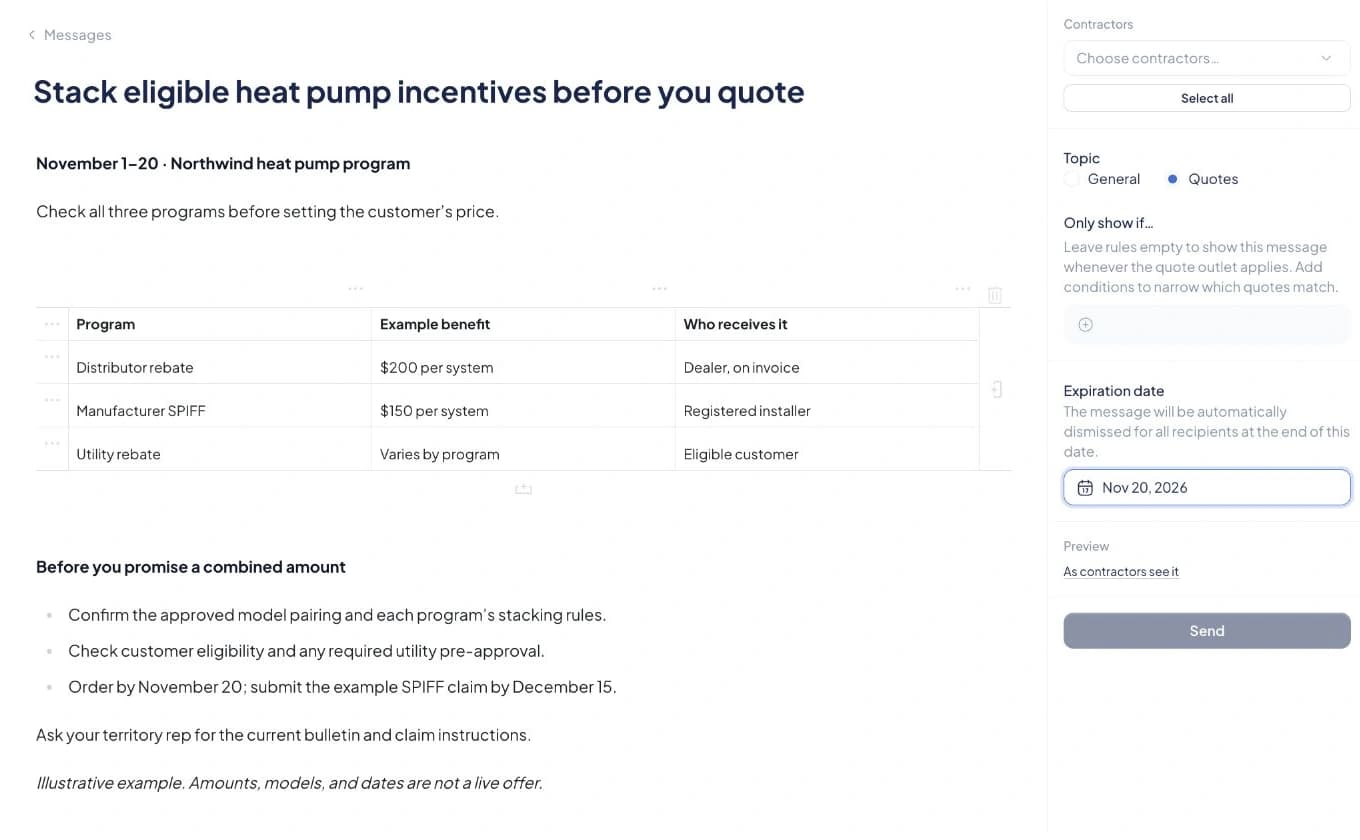
Make each message appear on the right quotes
- In the message composer, select your Contractors.
- Choose the Quotes topic.
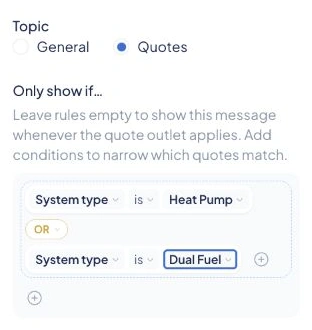
- Under Only show if…, click Add.
- Pick System type or Equipment type.
- Choose is (or is not), then select the value.
Tip: To cover two categories, such as heat pumps or dual-fuel systems, add a second condition and connect them with OR.
 Open full-size example
Leave the conditions empty to show the message on every quote for your selected contractors. For the full walkthrough, see How to send direct messages to your dealers.
The screenshots below use sample content in real SetSale previews. Offers, models, inventory, dates, and events are examples, not active programs.
1. Rebates and SPIFFs
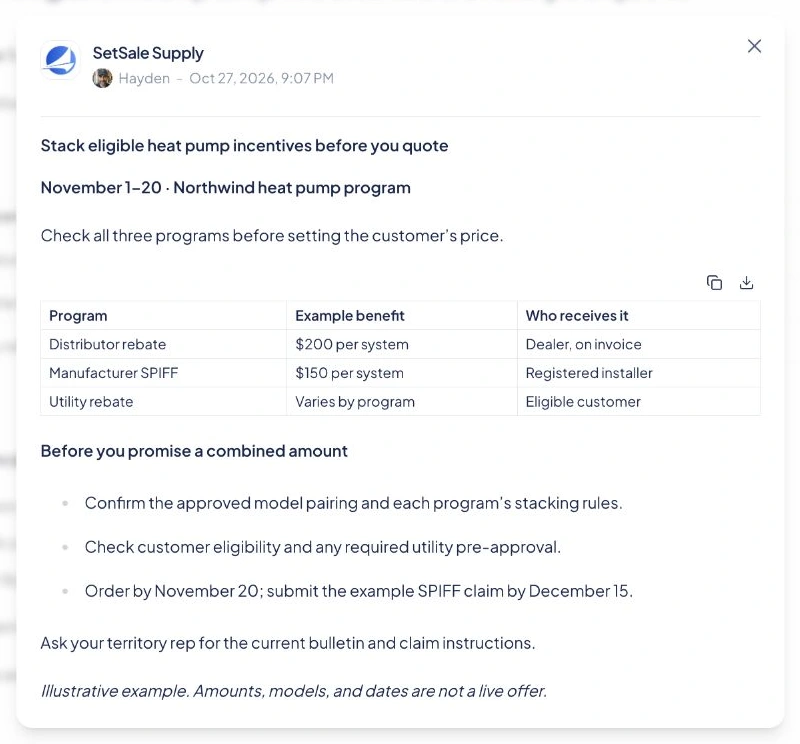
Show dealers what each manufacturer, utility, and distributor program pays, who receives it, which offers can stack, and when they expire. Keep the customer rebate and the installer SPIFF separate.
Example subject: “Stack eligible heat pump incentives before you quote.”
Start with the program dates. Put the benefits in a table, then list eligibility checks, any required pre-approval, and order or registration deadlines. Link the current program bulletin so dealers can check the terms before promising a combined amount.
Send it while they’re pricing the job, not after the proposal goes out.
 Open full-size example
2. Promo starts and ends
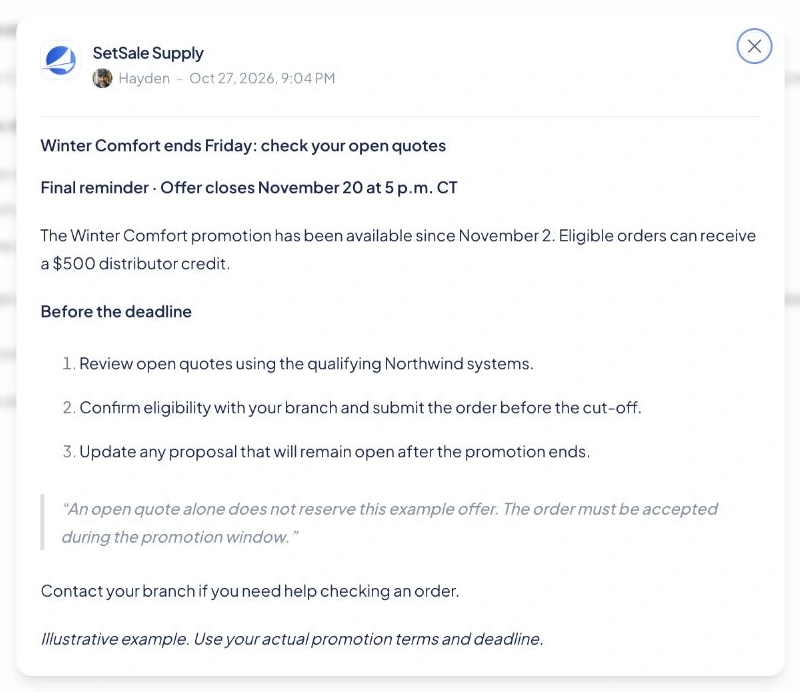
Send a launch message and a last-call reminder. “Cool Cash is live” helps dealers use a new offer. “Cool Cash ends Friday” prompts them to revisit open quotes.
Example subject: “Winter Comfort ends Friday: check your open quotes.”
Put the end date, time, and time zone near the top. List the qualifying equipment and what dealers must do to secure the offer. Explain which deadlines apply to quotes, orders, and installations.
Send the reminder while dealers still have time to act. Remove the message when the offer ends.
 Open full-size example
3. Price increases
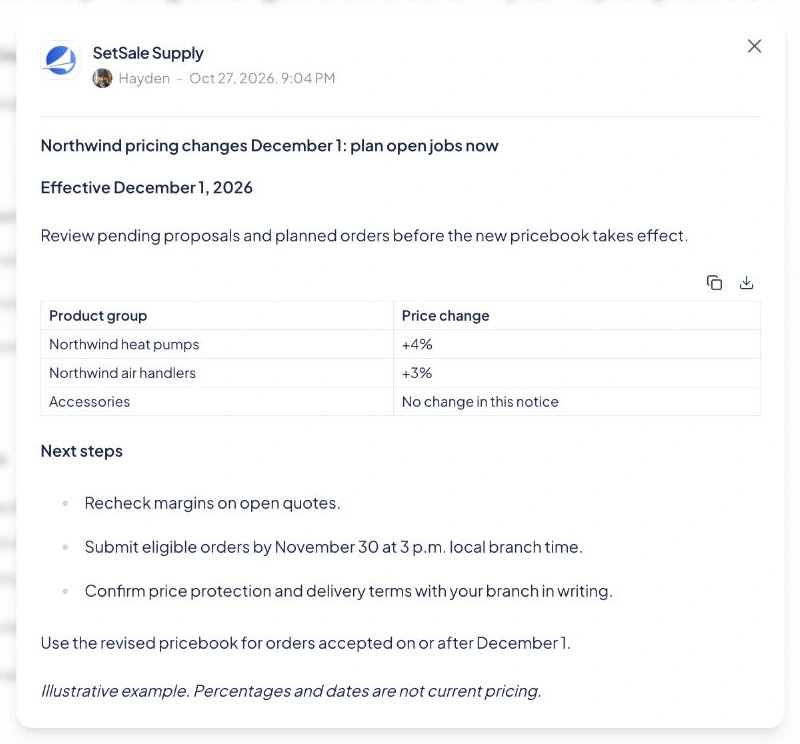
Give dealers time to review their margins and update open quotes. Name the affected product lines, percentage changes, and effective date.
Example subject: “Northwind pricing changes December 1: plan open jobs now.”
Put the price changes in a table by product group. Below it, explain the order cut-off, price-protection terms, and which pricebook to use next. Encourage dealers with ready-to-order jobs to order before the increase and confirm the terms in writing.
Send it to dealers who buy those lines and the people who update quotes and order equipment.
 Open full-size example
4. Closeouts and sell-throughs
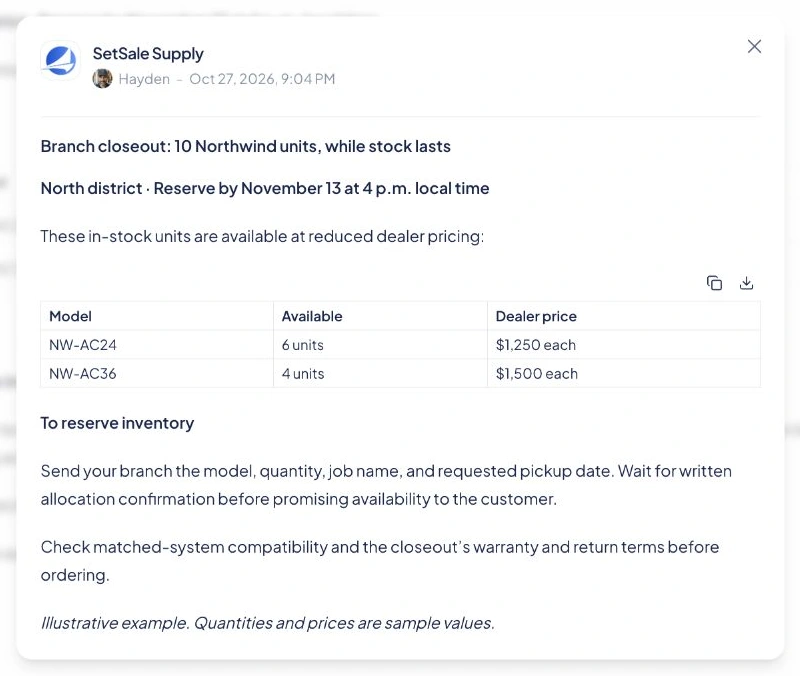
Show dealers which discounted units are in stock and how to reserve them for a job.
Example subject: “Branch closeout: 10 Northwind units, while stock lasts.”
Use a table for models, quantities, reduced prices, and the stocking branch. Give an end date and reservation instructions, including what your counter team needs. Note any warranty, return, or system-matching conditions.
Send it to dealers who can use the stock. Update quantities as units sell, and ask dealers to confirm their reservation with the branch.
 Open full-size example
5. Stock and availability
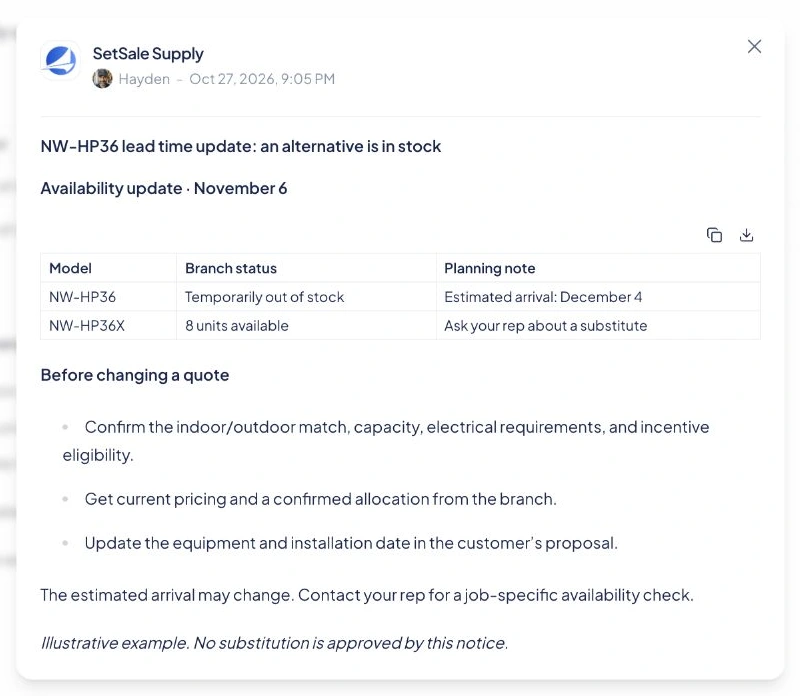
Tell dealers when a model is back in stock, delayed, or unavailable. Suggest an alternative and explain what they need to check before using it.
Example subject: “NW-HP36 lead time update: an alternative is in stock.”
List the model, stock status, estimated arrival, and possible substitute. Mark estimates clearly. Before swapping equipment, dealers should check the approved pairing, job requirements, price, and incentive eligibility.
Send the update before dealers commit to an installation date. Follow up when the estimate changes or stock returns.
 Open full-size example
6. Rule and refrigerant changes
Tell dealers what a technical change means for their next job. A2L and R-454B equipment, SEER2 standards, and local code updates can all warrant a message.
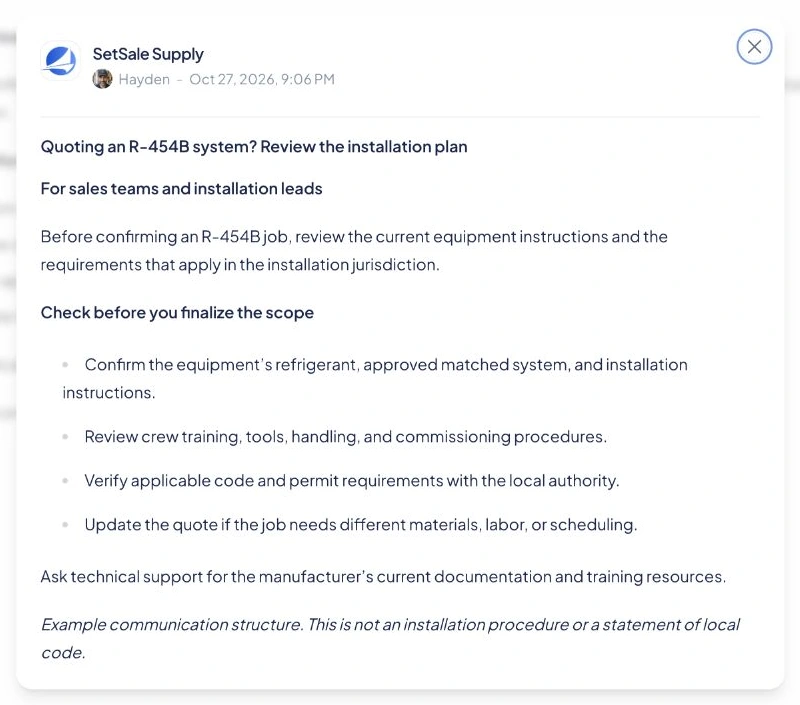
Example subject: “Quoting an R-454B system? Review the installation plan.”
Name the affected equipment or location, effective date, and required actions. Link the current manufacturer instructions or official notice. Give sales teams and installation leads separate next steps.
The example below is a planning checklist. Dealers still need to follow the applicable equipment instructions and local requirements.
 Open full-size example
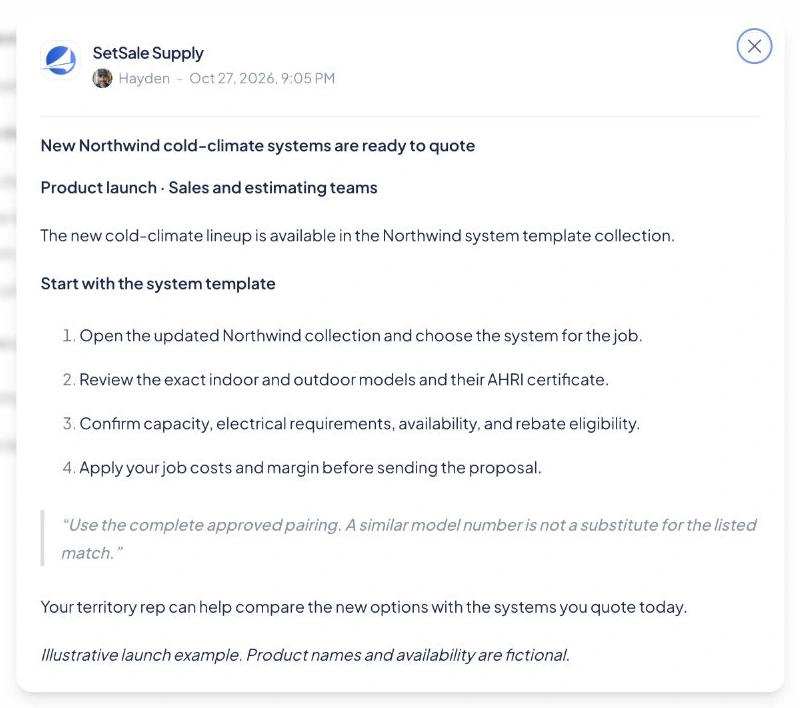
7. New products and matched systems
Help dealers quote the new product. Include matched systems, supporting documents, and ready-to-use system templates.
Example subject: “New Northwind cold-climate systems are ready to quote.”
Explain which jobs the product suits. List the indoor and outdoor models, link the AHRI certificate and updated templates, and confirm availability. Tell dealers what to check before adding job costs and margin.
Send it to the sales and estimating teams that quote the line. Follow up with a useful application or an answer to a common question.
 Open full-size example
8. Training and certification
Send product videos, certification classes, and continuing education to the people who need them.
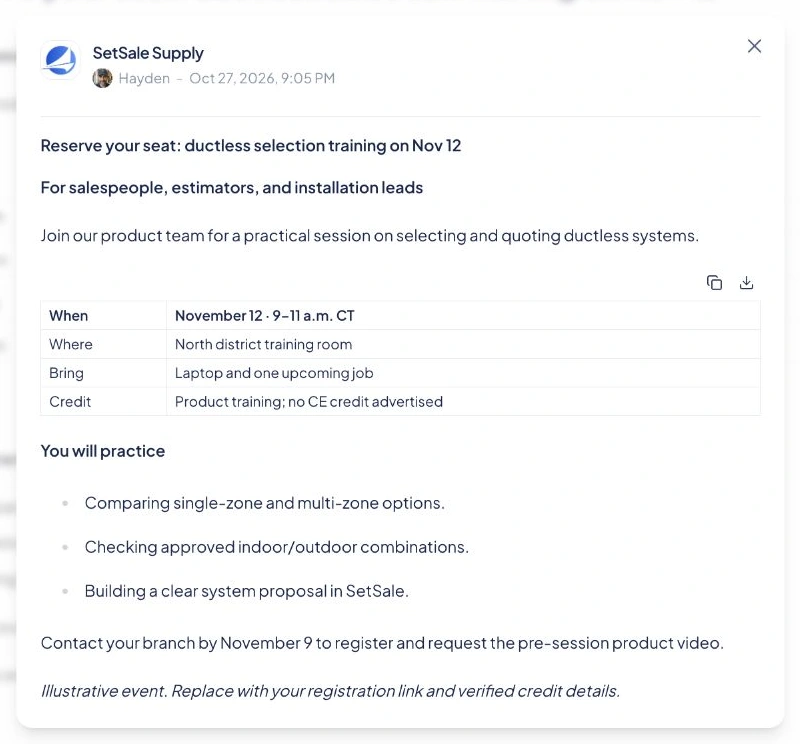
Example subject: “Reserve your seat: ductless selection training on Nov 12.”
Name the audience first. Put the date, time zone, format, location, prerequisites, and verified certification or CE credit in a table. List what attendees will learn, then give one registration link and a deadline.
Send technical sessions to technicians and installation leads. Send product and quoting sessions to salespeople and estimators. Include a video or other preparation when useful.
 Open full-size example
9. Events
Invite local dealers to block parties, vendor days, roadshows, and counter days. Give them a clear reason to attend.
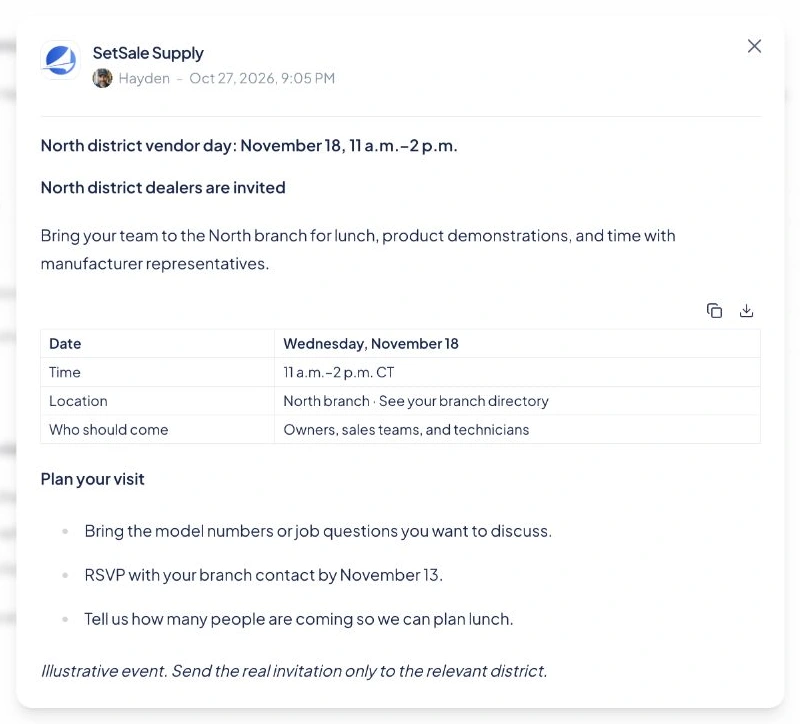
Example subject: “North district vendor day: November 18, 11 a.m.–2 p.m.”
Name the district or branch, date, time, address, vendors, and intended attendees. Explain what dealers can do there, such as see a demonstration or ask a manufacturer representative about a job.
Send each invitation to the district hosting the event. Give an RSVP deadline and send a short reminder before the day.
 Open full-size example
10. Branch updates
Share holiday hours, will-call changes, delivery cut-offs, and new locations so dealers can plan work and avoid wasted trips.
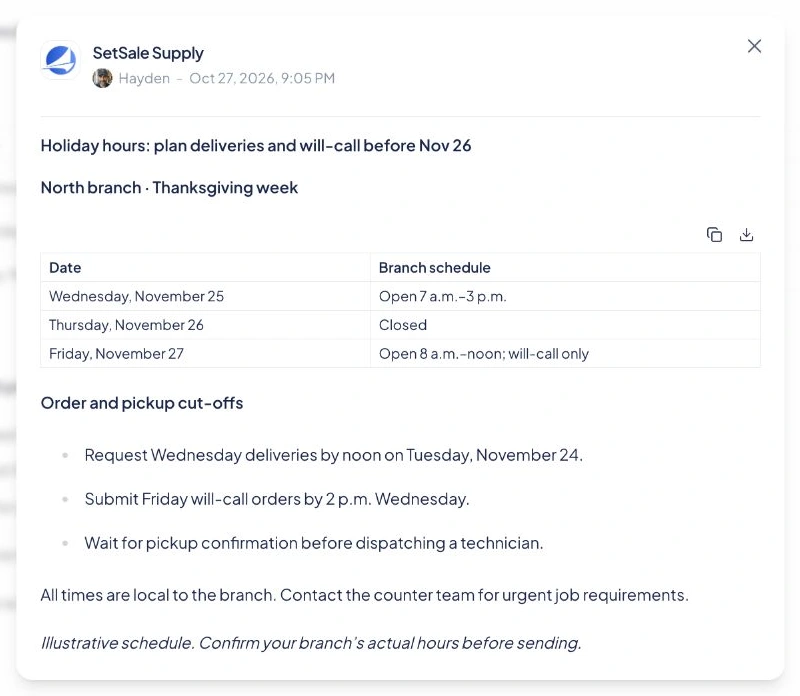
Example subject: “Holiday hours: plan deliveries and will-call before Nov 26.”
Name the branch and dates. Put opening hours in a table, with separate order cut-offs and pickup or delivery instructions. Include the time zone, an urgent contact, and any new address.
Send it early enough for crews to adjust their plans, then remind them before the final order cut-off.
 Open full-size example
Put the message beside the decision
Match the message to the work. Show rebates on qualifying quotes and stock updates while dealers choose equipment. Send events to the right district and training to the people who need it.
In SetSale, select your contractors and recipient roles, then use Quotes and its conditions to choose where the message appears. Set an expiration date and check As contractors see it before sending.
Keep it simple: what changed, who it affects, the deadline, and what to do next. Use tables for comparisons, short lists for actions, and links for details.
Choose one update your dealers need this week. Put it where they are already working.