
A good proposal should lead into a job your office can act on. When customer details, equipment choices, and the sold price have to be entered again, the handoff takes longer and creates another place for the sale to lose context.
The ServiceTitan integration connects SetSale's quoting and homeowner presentation with the job your team manages in ServiceTitan. It gives the sales conversation a path back into the systems your office uses to complete the work.
Start with the job your team already knows
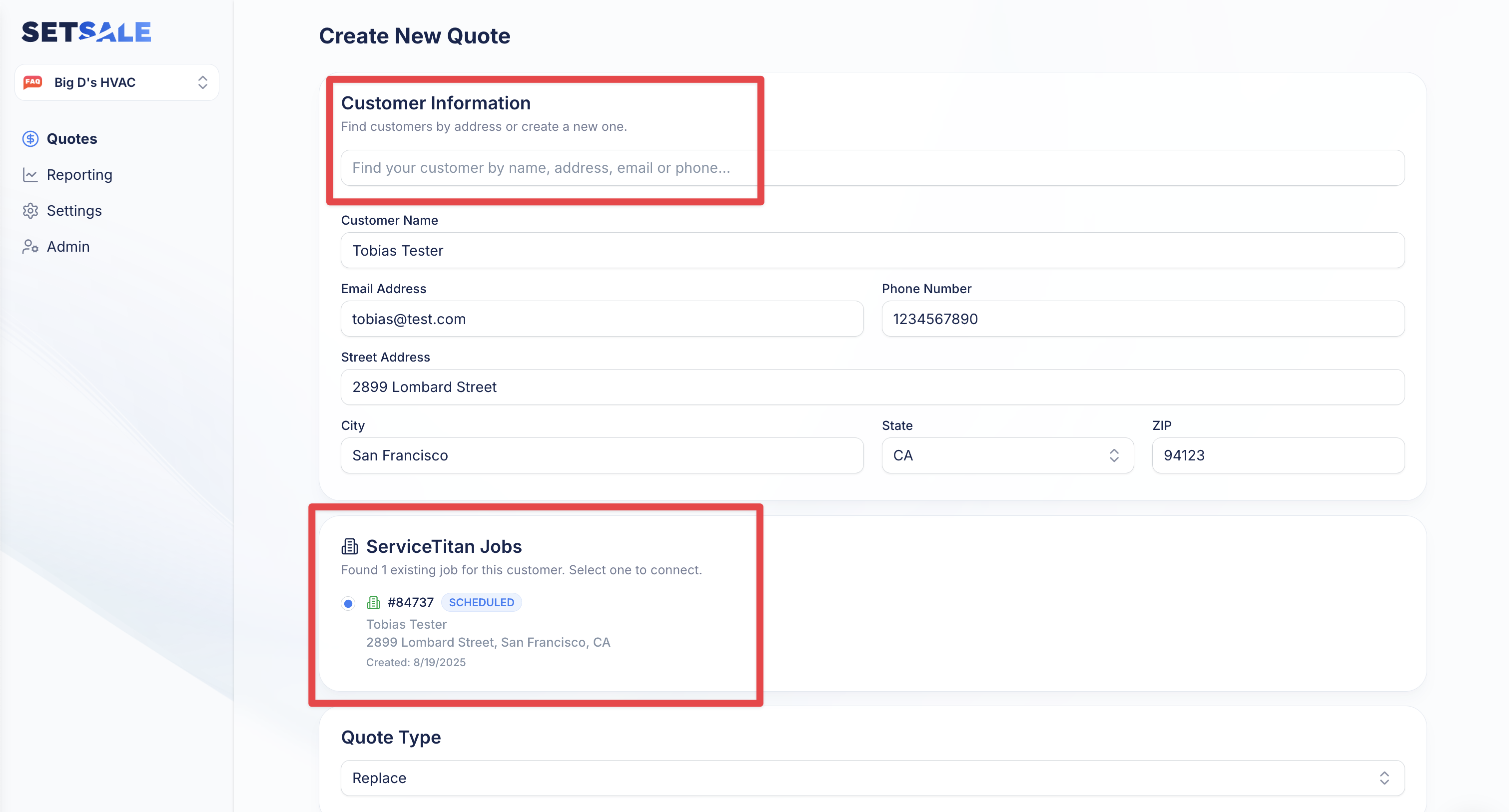
Use ServiceTitan job information as the starting point for a SetSale proposal. Connect the quote to the relevant job and customer, then build the equipment options and presentation in SetSale.
That connection matters to both sides of the sale. The technician has the customer context needed for the proposal, and the office has an identifiable job to continue working with once the homeowner decides.
Carry the proposal into ServiceTitan
The integration supports sending estimate information back to ServiceTitan and working with the equipment and materials used in the sale. Rather than treating the proposal as an isolated document, your team can connect the customer-facing choice with its operational record.
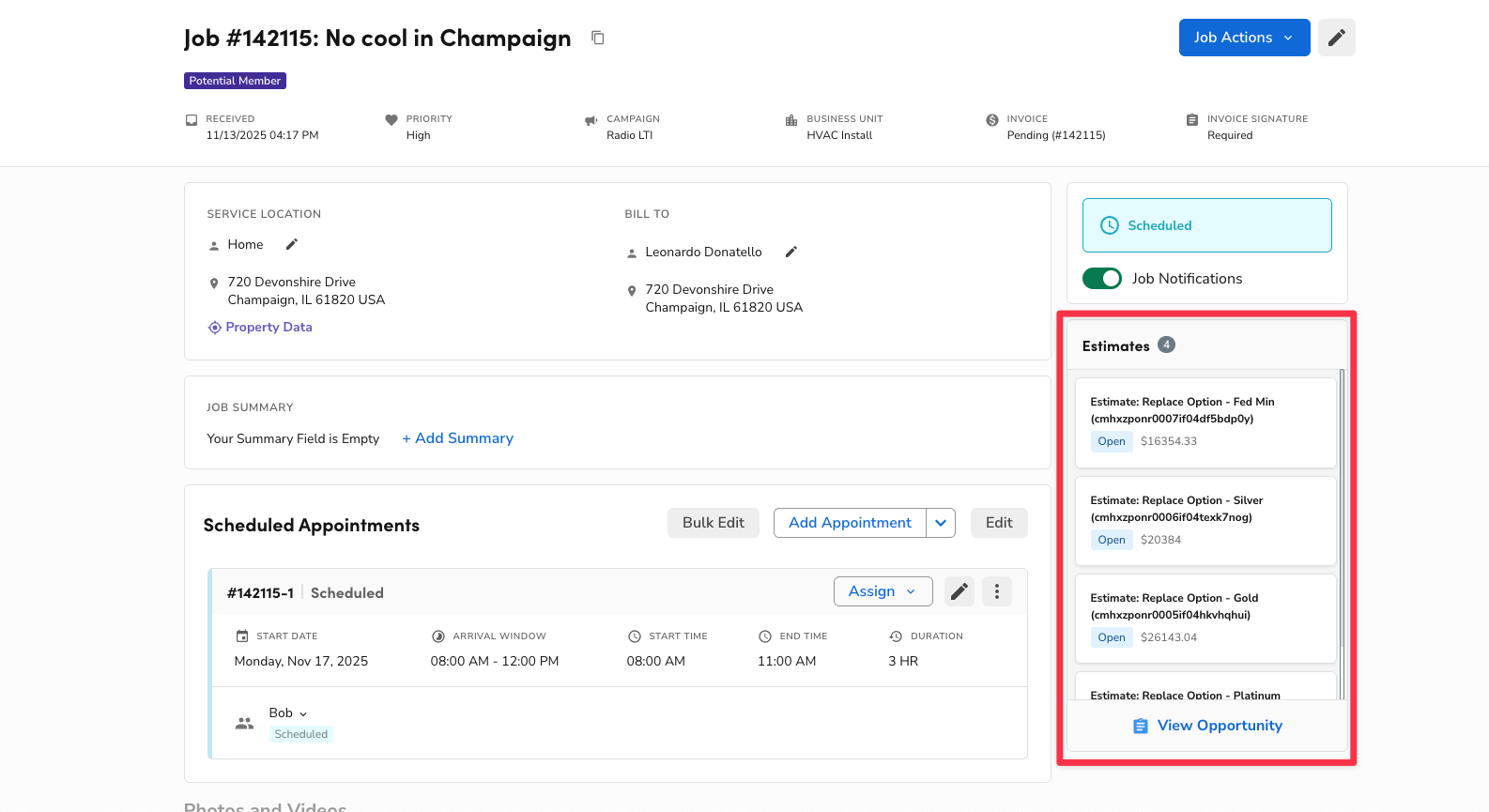
The current workflow guide explains job linking, estimate synchronization, pricebook handling, and the activity recorded in SetSale. Review that guide against your configuration before rolling the workflow out to the team.
A connection that has continued to improve
The original integration entered production configuration in July 2025. Subsequent updates refined job linking, estimate creation, accounting settings, and how quote options sync.
By September 2026, job search could start before a customer was selected and fill the matching customer and service address. Linking a won quote to a job also queued a fresh sync. These are later improvements to the integration, documented in the September release notes.
For a contractor, the value is continuity: prepare and explain the options in SetSale, then let the office work from the connected ServiceTitan record. It gives the team a shared handoff to review, rather than relying on someone to reconstruct the homeowner's decision.
Review one linked proposal with your office
ServiceTitan setup includes tenant approval, application access, and account configuration. Have the account administrator work through the documented process with SetSale, then check a linked quote from both the sales and office perspectives.