
A homeowner should be able to consider how to pay while they’re considering what to buy. With Finturf connected to SetSale, financing becomes part of the proposal conversation: monthly payment estimates appear beside the equipment options, with access to offers from multiple lenders.
We launched the integration on August 18. You can offer Finturf alongside your existing installment plans and keep building quotes the way your team already does.
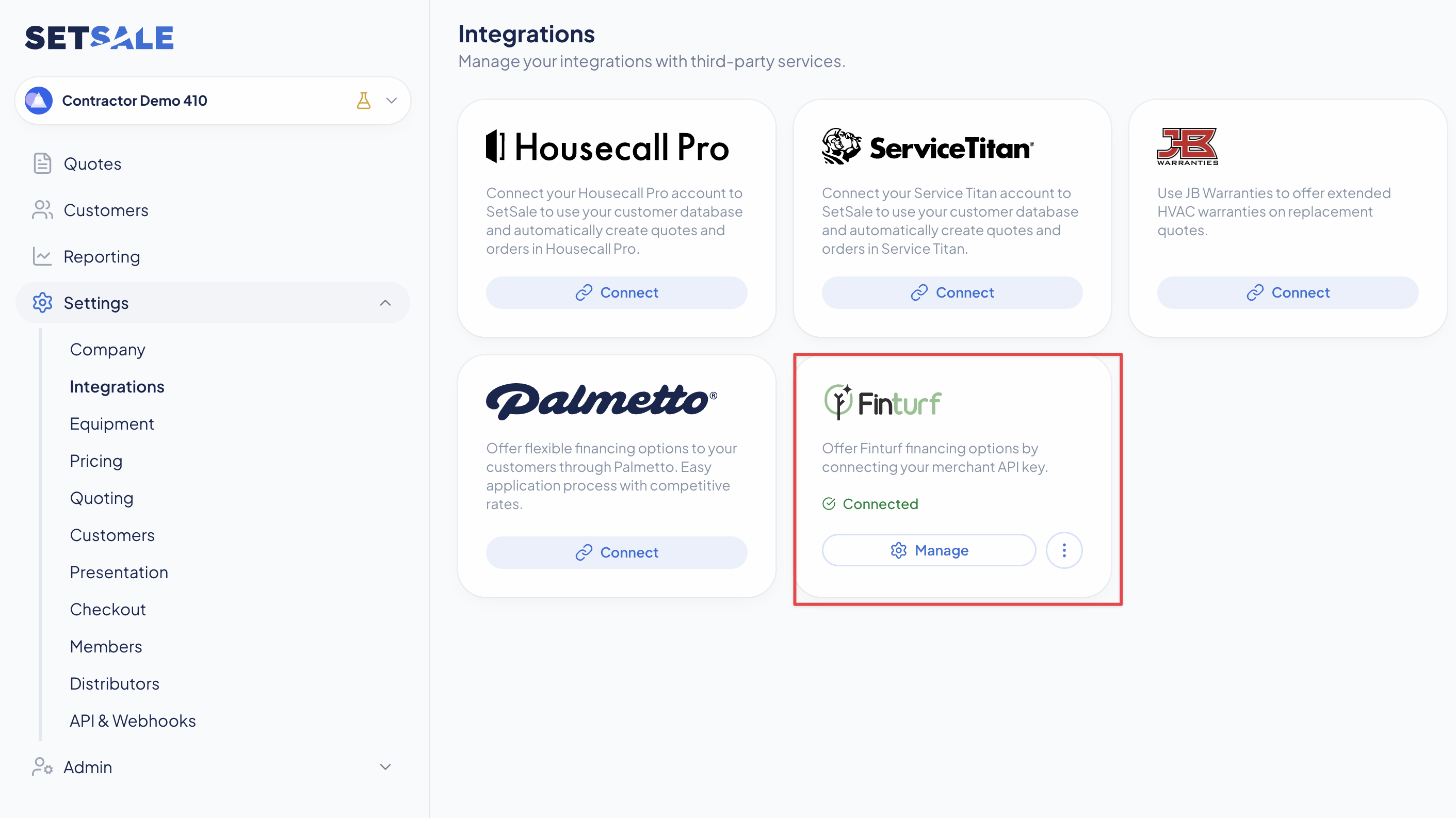
Connect once, choose what you offer
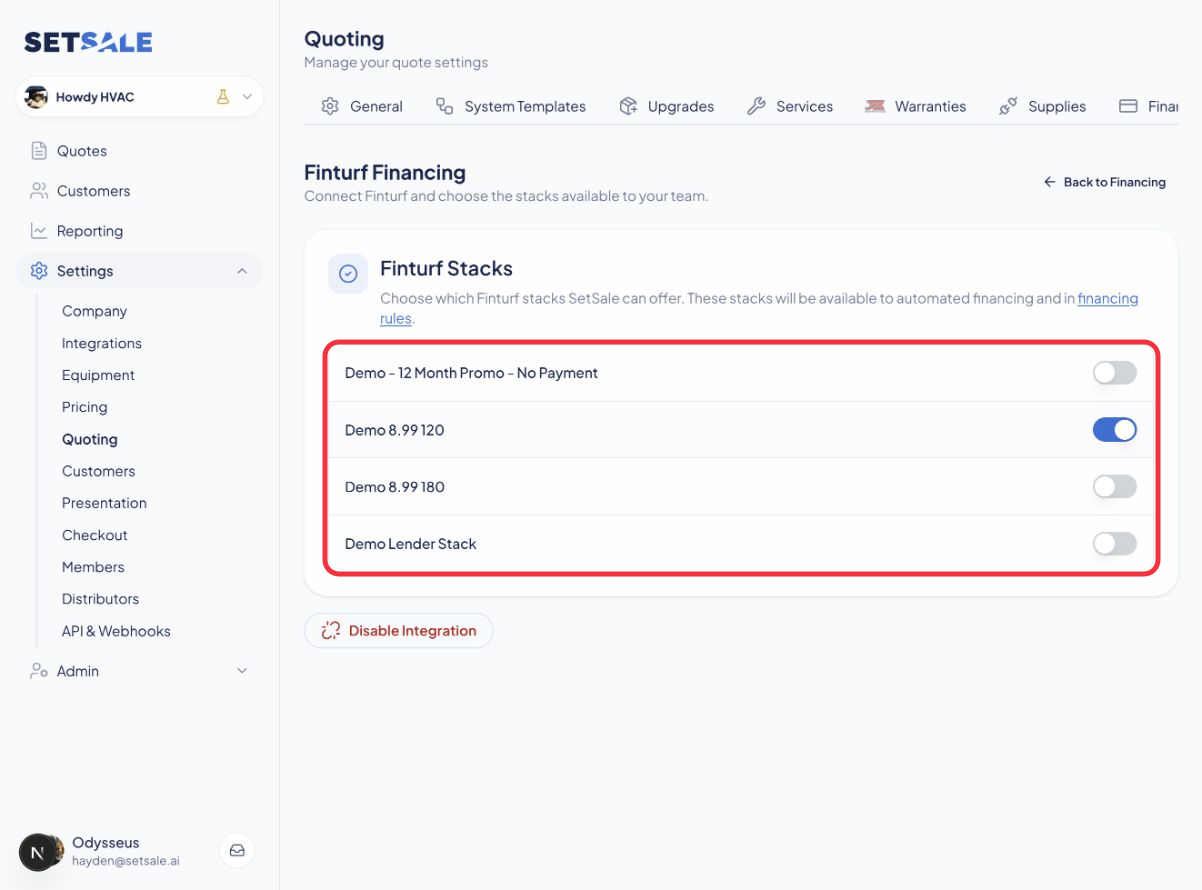
A Finturf Stack is a package of loan products and lender rules. Connect your merchant account in Settings → Quoting → Financing, then enable the Stacks that match your business. The setup guide walks through the connection and each setting.
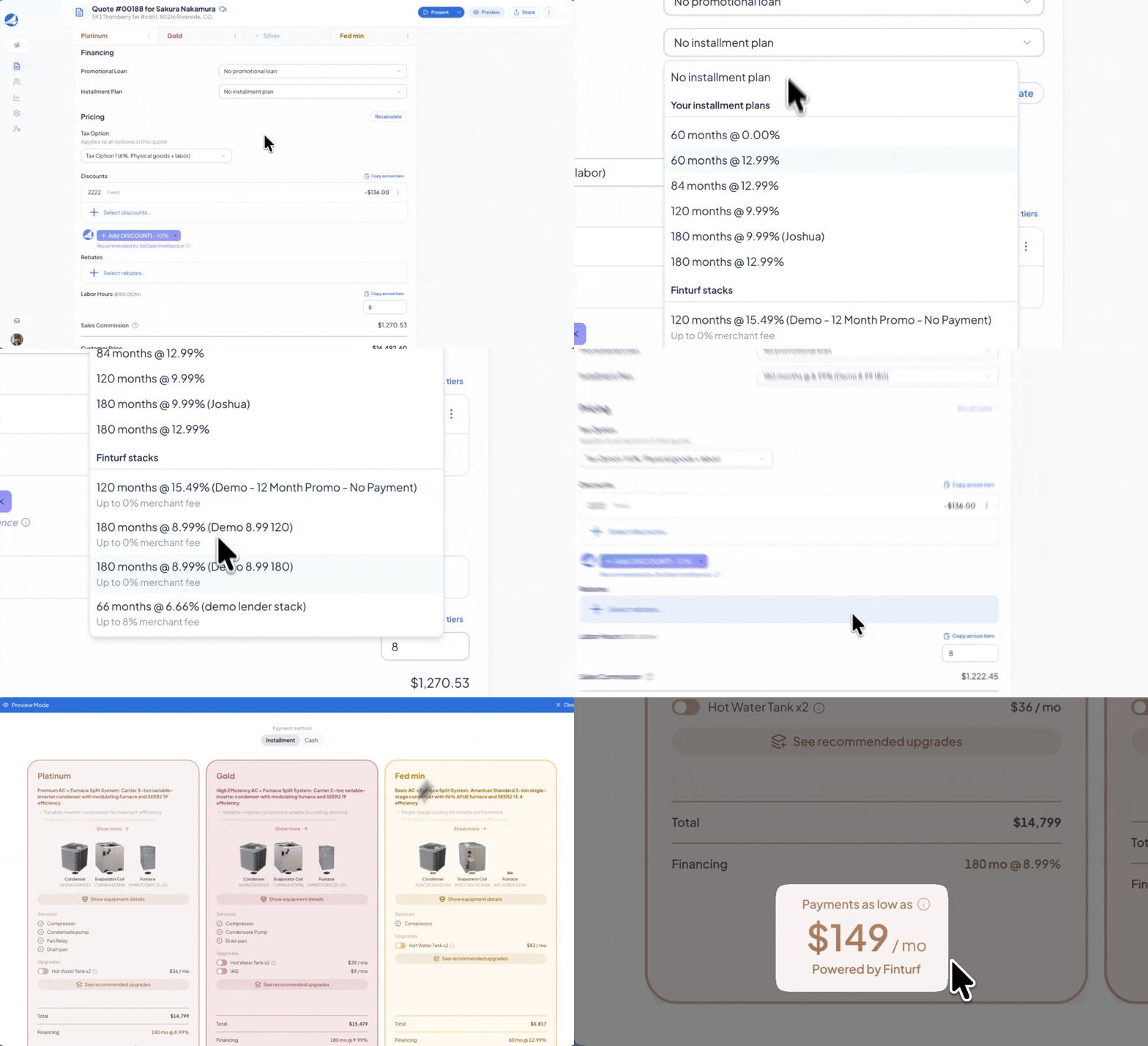
Monthly payments where the homeowner needs them
Finturf Stacks appear in the Installment Plan list on each quote tier. Pick a Stack yourself or use automated financing to select an eligible option. The homeowner sees the estimated monthly payment and the Finturf label in the presentation, PDF, and checkout.
Keep the application connected to the job
After the homeowner accepts a Finturf-financed quote, they receive a secure application link. Your team can follow the application’s progress, required steps, and funding tasks in the quote’s Activity and Tasks.
Before installation, check the financing status and Notice to Proceed. A signed quote alone does not mean the loan is approved. The Finturf FAQs and setup guide explain the handoff, estimates, and funding steps.