
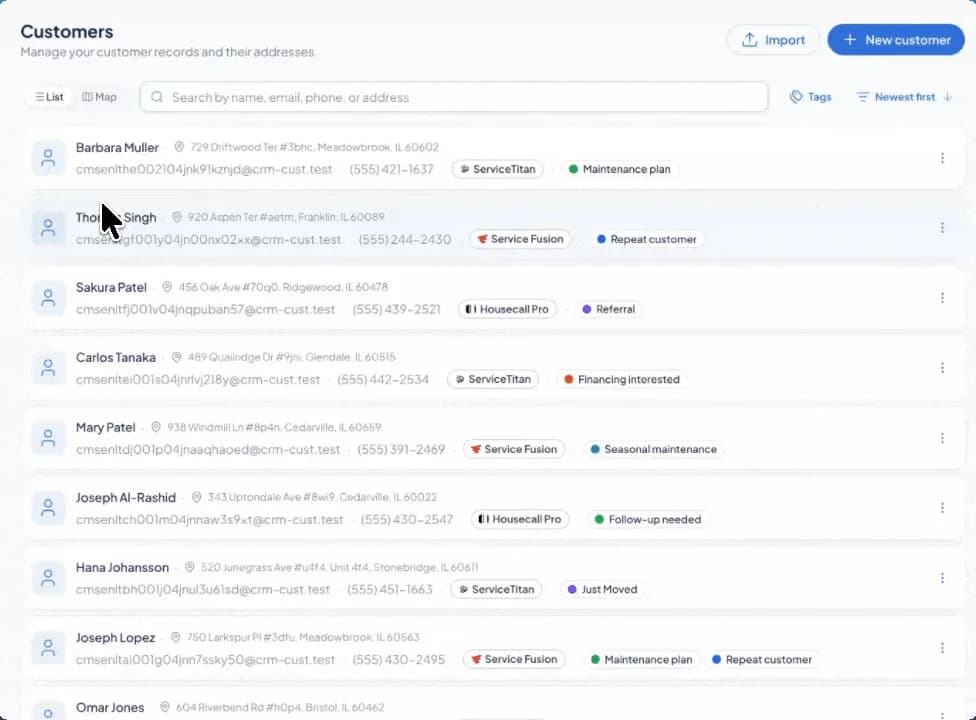
A phone number in one place, an address in another, a previous quote buried in a search. Preparing for the next job can mean piecing the same customer back together.
The customer database, launched August 6, gives that work a home in SetSale. Contact details, service addresses, quotes, tags, and activity stay together, so the team can move from a customer’s history to a new quote with the context intact.
Find the person and the property
Open Customers in the main menu. Search with whatever you have: a name, email address, phone number, or street address. List view helps you scan the records; Map view shows where your customers’ service locations are.
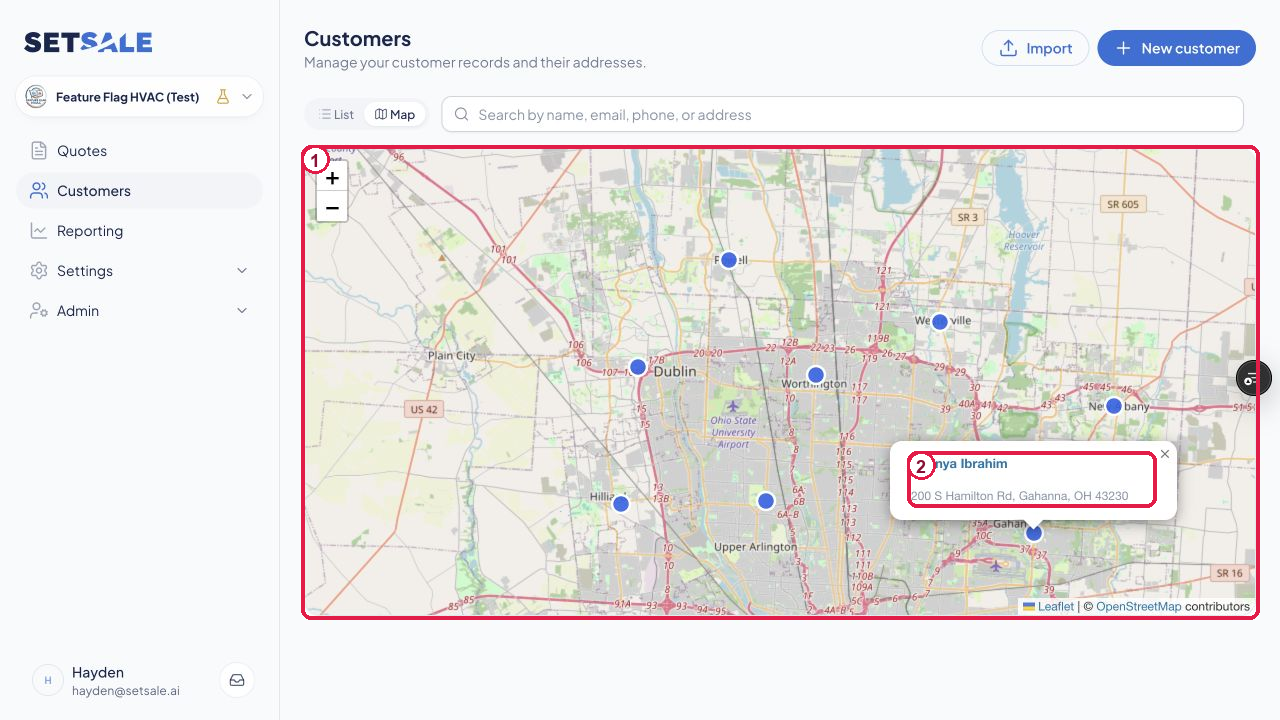
Know the history before you quote
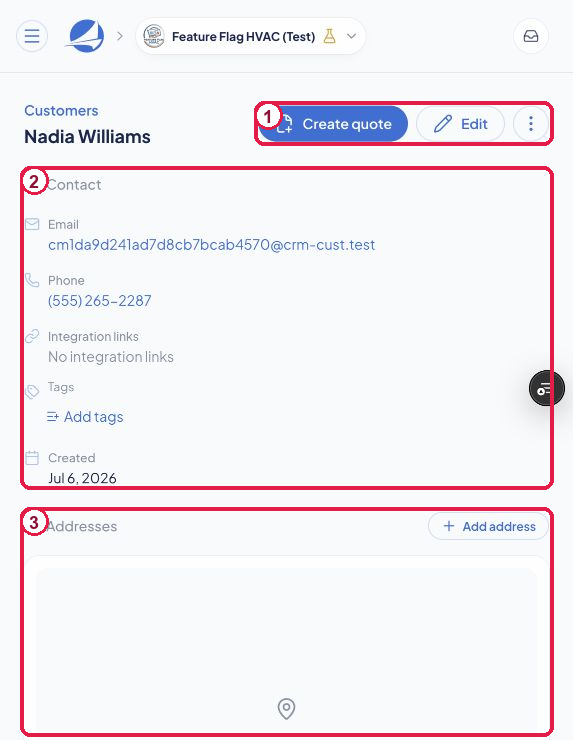
Open a record to review the customer’s contact details and service addresses. Scroll down for their quotes and activity. When it’s time to quote again, select Create quote to carry the customer and a saved address into the quote form.
Organize it your way
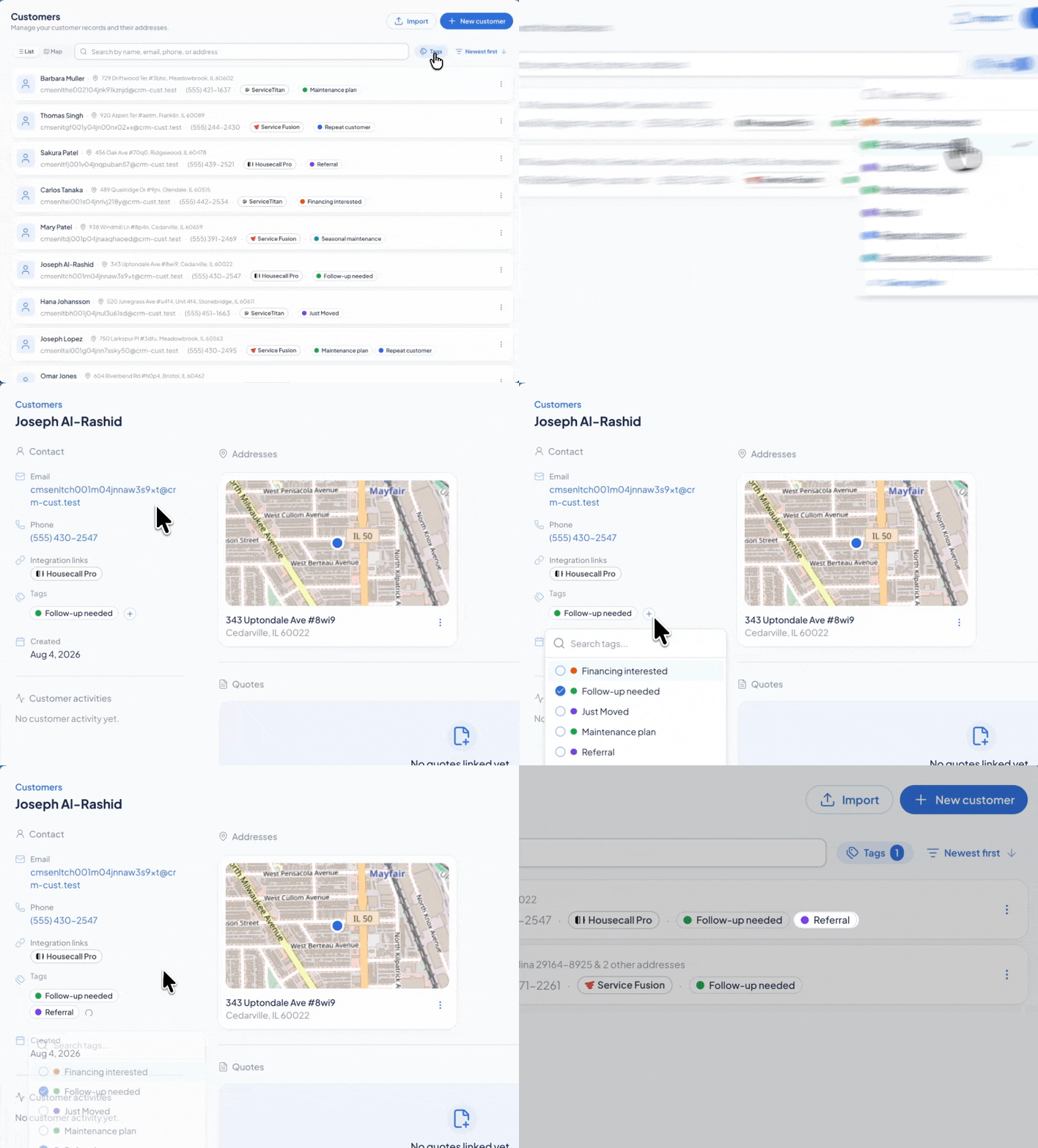
Tags let you group customers around what matters to your business: a neighborhood, equipment type, install date, or sales status. Use clear names so the next teammate can understand the record at a glance.
Bring your current list with you
The database supports bulk import from a CSV. Download the current template first and keep its column headings so the importer can place each field correctly. The customer management guide covers importing, addresses, tags, quote creation, and duplicate records.